
Marc Nützel
Tuesday, August 29, 2017 | 2 minutes
Gitlab CI Debugging
I would like to show you how to debug a CI process locally using GitLab CI. I often see a barrage of failed GitLab CI jobs when new projects are set up, even though it is very easy to test the CI process locally before pushing it to the repository. First of all, this requires Docker to be installed, which you can find here. You also need a Git project and the corresponding .gitlab-ci.yml that defines your CI process.
GitLab CI Dashboard
The dashboard is only a web interface, it does not execute the CI processes, but delegates them to a pool of runners. When the dashboard gets the instruction to start a pipeline, it adds this pipeline to a queue. The queue is then processed by the runners.
GitLab Runner
The runners can be started on any instance. Typically, the runners register themselves with the specified GitLab instance. Runners can be enhanced with names and tags, have their instructions returned from the GitLab dashboard, and report the result. GitLab CI runners can also work without a connection to the GitLab CI instance. In offline mode, functionality is limited, but it is possible to read and execute the local .gitlab-ci.yml file. Offline runners must be run from the command line.
Installation of a GitLab Runner
In my case I’m doing the installation for Mac OS, but here I link the official documentation which also supports other operating systems. It is also possible to start the Runner directly from Docker see here.
$ sudo curl --output /usr/local/bin/gitlab-ci-multi-runner https://gitlab-ci-multi-runner-downloads.s3.amazonaws.com/latest/binaries/gitlab-ci-multi-runner-darwin-amd64
$ sudo chmod +x /usr/local/bin/gitlab-ci-multi-runner
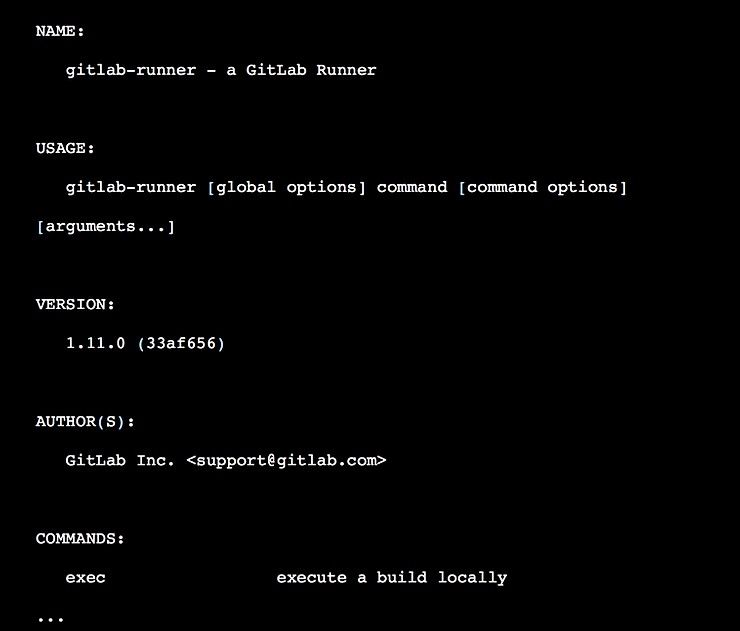
Test the installation
$ gitlab-ci-multi-runner
should return the following:
Start a Job
As an example I’ll use this .gitlab-ci.yaml
image: node:latest

task1:
  script:
    - npm install
    - npm test
You can execute task1 with the following commands:
$ cd path/to/project
$ ls .gitlab-ci.yml
.gitlab-ci.yml
$ gitlab-ci-multi-runner exec docker task1
The runner should now run the task. Of course, GitLab cache and artifacts do not work on a local gitlab-runner, but being able to test a CI file quickly and locally, without annoying your team members, is quite good.